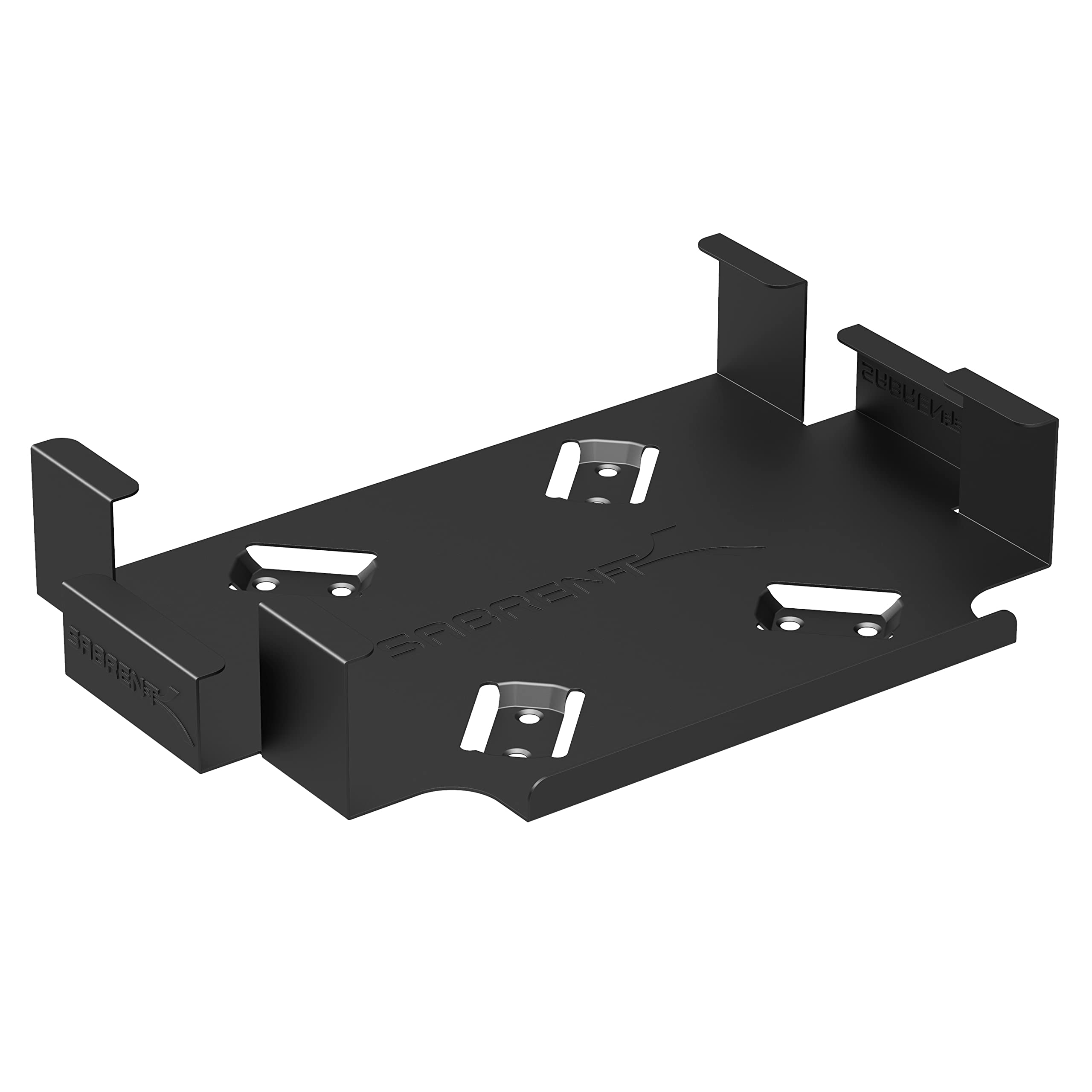
The SABRENT Mac mini VESA Mount/Wall Mount/Under Desk Mount is designed to move a compatible Unibody Mac mini off the desk while keeping its controls and connections accessible.
This review looks at where its simple mounting approach fits and what to check before choosing it.
SABRENT Mount Review Summary
The quick verdict
2,000+ ratings
Read Amazon ReviewsSABRENT Mac mini Mount
A straightforward mount for owners of compatible Unibody Mac mini models who want to attach the computer to a wall, under a desk, or a VESA setup.
- Designed to securely mount a compatible Mac mini.
- Supports VESA, wall, and under-desk placement options.
- Allows access to the power button, output jacks, and cables.
- Black powder coating helps protect the Mac mini from scratches or damage.

Pros
- Offers several placement approaches for getting a compatible Mac mini off the desktop.
- Keeps the power button, output jacks, and cables accessible.
Consider before buying
- Compatibility is limited to Unibody Mac mini models, so owners of other generations should confirm fit first.
- The best mounting option depends on the surface and location; check whether the included hardware suits your planned installation.
Read the full review summary
This mount focuses on a practical job: securing a compatible Mac mini in an alternate position, with access maintained to the power button, output jacks, and cables.
Its black powder-coated finish is intended to help protect the computer from scratches or damage, and the included screws, drywall anchors, and installation instructions cover several parts of the setup.
It is most relevant to owners of a Unibody Mac mini who already know where they want to place the computer and want to reclaim desk space or keep the device tucked away.
Compatibility is specific, so confirm your Mac mini model and the intended mounting surface before buying; this is not a general-purpose monitor arm or a universal computer holder.
The buying factors
SABRENT Mount Scorecard
Editorial scores reflect listed features and buyer fit; they are not laboratory measurements or customer ratings.
Mac mini compatibility
The mount is specified for Unibody Mac mini models, giving the intended buyer a clear compatibility target.
Access to controls and ports
The design allows full access to the power button, output jacks, and cables.
Placement flexibility
It is presented for VESA, wall, or under-desk mounting, accommodating several placement preferences.
Surface protection
Black powder coating is intended to help guard the Mac mini against scratches or damage.
Installation preparation
Screws, drywall anchors, and easy installation instructions are included for setup.
Compatibility range
The stated fit is for Unibody Mac mini models, so buyers with another generation should verify fit before purchase.
Key Features and Specifications of SABRENT Mount
- Designed to securely mount a compatible Mac mini.
- Supports VESA, wall, and under-desk placement options.
- Allows access to the power button, output jacks, and cables.
- Black powder coating helps protect the Mac mini from scratches or damage.
- Compatible with Unibody Mac mini models.
- Includes screws, drywall anchors, and installation instructions.
Pros and Cons of SABRENT Mount
Pros
- Offers several placement approaches for getting a compatible Mac mini off the desktop.
- Keeps the power button, output jacks, and cables accessible.
- Includes common mounting hardware and instructions.
- Powder-coated black finish is designed to help protect the computer's surface.
Consider before buying
- Compatibility is limited to Unibody Mac mini models, so owners of other generations should confirm fit first.
- The best mounting option depends on the surface and location; check whether the included hardware suits your planned installation.
- The design is tailored to Mac mini placement rather than serving as an adjustable monitor or general computer mount.
Who Should Buy SABRENT Mount?
Good fit
Consider the SABRENT Mac mini Mount if you own a Unibody Mac mini and want to place it on a wall, beneath a desk, or at a VESA-compatible mounting point.
Its focus on maintaining access to the button, ports, and cables is useful when the computer will sit somewhere less visible or less convenient to reach.
It is also a sensible option if the supplied screws, drywall anchors, and instructions match your planned installation.
Before ordering, identify your Mac mini generation and check the mounting surface and desired position so the compact placement works with your cable routing.
Who should skip it
Look elsewhere if your Mac mini is not a Unibody model and you cannot confirm compatibility.
Also skip it if you need a movable monitor arm, a universal PC holder, or a mounting solution whose surface and hardware requirements differ from your setup.
What the SABRENT Mount Means for Your Setup
Check the Mac mini generation first
The stated compatibility is for Unibody Mac mini models. Since the mount is shaped around a particular computer family, identify your model before purchase rather than assuming that every Mac mini generation will fit.
Choose the location around access
Keeping the power button, output jacks, and cables accessible matters when mounting a computer under a desk or on a wall.
Plan the position around how you plug in accessories and reach the controls, especially if the mount will be difficult to see once installed.
Match the hardware to the surface
The package includes screws and drywall anchors, with instructions for installation. Consider the surface where you intend to place the computer and confirm that the included hardware is appropriate for that specific location before starting.
Think of it as a fixed placement solution
The product is built around securing a Mac mini in a chosen location.
That makes it relevant to buyers prioritizing a less crowded desk or a tucked-away computer, while anyone seeking frequent repositioning should consider whether a fixed mounting arrangement matches their routine.
Alternatives to SABRENT Mount
Computer Monitor Arms alternative
20,000+ ratings
Read Amazon ReviewsVIVO Single Monitor Desk Mount
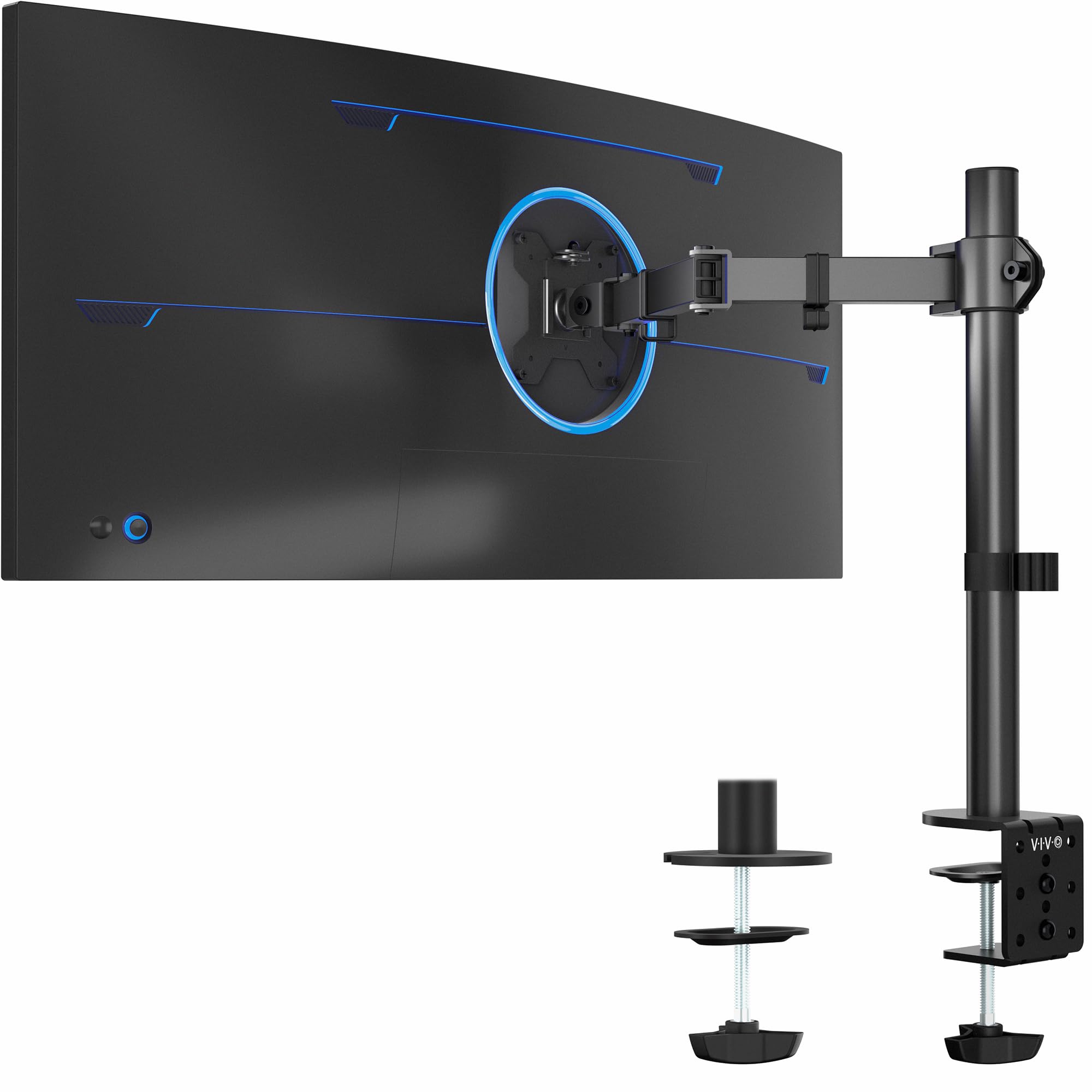
Choose the SABRENT for mounting a compatible Mac mini. Choose the VIVO when the goal is to position a single VESA-compatible monitor on a desk with articulation and height adjustment.
- The VIVO mount is designed for one monitor weighing up to 22 pounds, with VESA 75x75mm or 100x100mm mounting, a desk clamp or grommet option, and adjustable height, tilt, swivel, and rotation.
- The SABRENT mount is made for a compatible Unibody Mac mini and supports VESA, wall, or under-desk placement while preserving access to its controls and connections.
Computer Monitor Arms alternative
34,000+ ratings
Read Amazon ReviewsHUANUO FlowLift Dual Monitor Stand
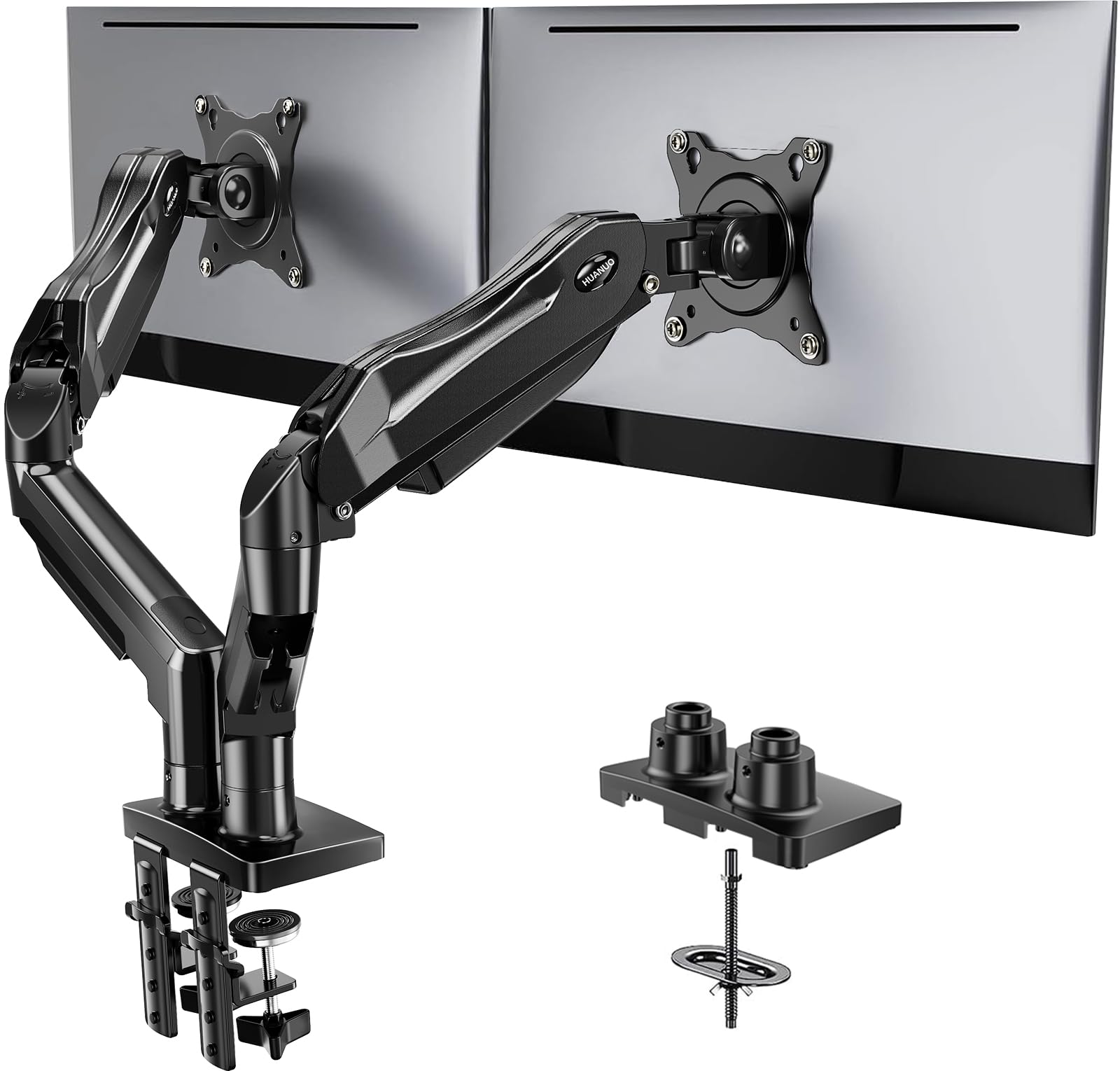
Choose the SABRENT if you want to secure a compatible Mac mini away from the desktop. The HUANUO is a better fit when your goal is to mount and adjust two compatible monitors at a workstation.
- The HUANUO stand supports two 13- to 32-inch monitors, each weighing 4.4 to 19.8 pounds, with VESA 75x75mm or 100x100mm mounting patterns, full-motion adjustments, and clamp or grommet desk installation.
- The SABRENT mount serves a specific Mac mini placement need, with VESA, wall, and under-desk options.
Is SABRENT Mount Worth It?
The SABRENT Mac mini Mount is worth considering for Unibody Mac mini owners who want to reclaim desk space or place the computer on a wall or beneath a desk.
Access to the power button, output jacks, and cables helps make those locations practical.
Confirm your Mac mini generation and mounting surface before buying, and plan the location around cable reach.
If those details suit your setup, this is a focused mounting option; if you need broad model compatibility or monitor movement, look for a different type of mount.
Your review at a glance
2,000+ ratings
Read Amazon ReviewsSABRENT Mac mini Mount
A straightforward mount for owners of compatible Unibody Mac mini models who want to attach the computer to a wall, under a desk, or a VESA setup.
- Designed to securely mount a compatible Mac mini.
- Supports VESA, wall, and under-desk placement options.
- Allows access to the power button, output jacks, and cables.
- Black powder coating helps protect the Mac mini from scratches or damage.